Version Increment Namer
Never overwrite a render again.
One click, before you render. The panel scans your output folder, finds the highest existing version for every queued comp, and writes the next filename straight onto each item's Output Module. Nothing gets clobbered: it always checks the disk first and steps past any name already there.
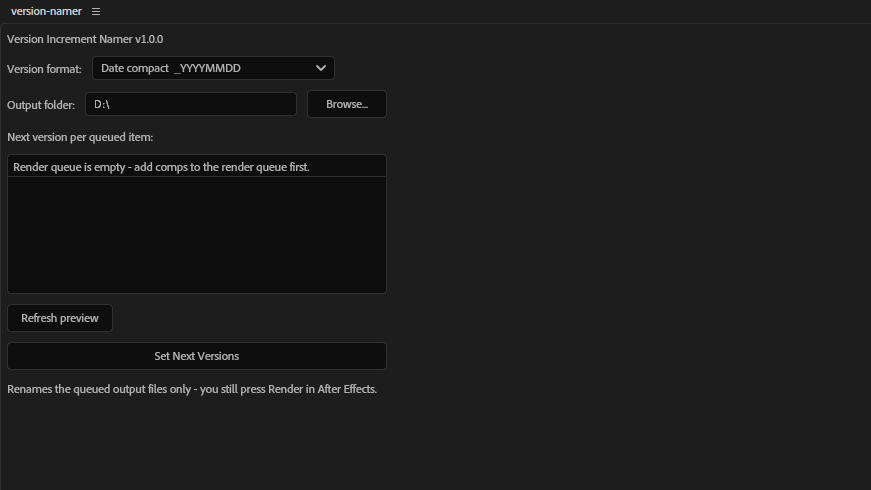
One forgotten rename, one lost render.
Everyone who renders daily has done it: queued a revision, hit render, and quietly overwritten the version the client already approved. The fix is a naming discipline nobody keeps up manually at 2am on a deadline.
- Versions every item in the queue at once, with no per-item setup and no typing.
- Always scans the destination folder first, so it picks a genuinely free name.
- Shows you the exact filenames before anything is committed.
Small tool, no surprises.
One-click batch versioning
Versions every item currently in the Render Queue in a single action. No selecting, no repeating yourself for each comp.
Six naming conventions
Zero-padded _v001 or _v01, full or compact date stamps, semantic v1.0, or a leading date-and-counter format for finishing deliverables.
Live preview
See the exact next filename for every queued item before you commit to anything. No guessing what the tool is about to do.
Guaranteed no-overwrite
Always scans the destination and picks the next free name correctly, even across numbering gaps or several renders on the same day.
Remembers your setup
Your chosen convention and destination folder persist between After Effects sessions, so it's ready the next time you open the project.
Safe by default
Refuses to run against a missing or empty destination folder, reads the real extension from each Output Module, and skips items with no output configured rather than guessing.
Four steps, then render as usual.
Pick a convention
Choose the naming format that matches your pipeline from the dropdown. It's remembered for next time.
Check the preview
The panel lists the exact next filename for every item in your queue. Confirm it looks right.
Set next versions
One click writes the new filenames onto every Output Module. Then hit render in After Effects as you normally would.
A note on scope: After Effects' scripting API has no way to intercept the built-in Render button, so this is a deliberate one-click panel action rather than something that fires automatically. It also versions the whole queue rather than a single selected row, because AE doesn't expose which row is selected.
See it working.


Technical detail.
- Format
- Plain ExtendScript (
.jsx) with a dockable ScriptUI panel. No CEP or UXP runtime involved. - Platform
- Windows. Built and tested on Windows; macOS is untested rather than unsupported.
- After Effects
- Tested on After Effects 2026; compatible with AE 2024 and later.
- Dependencies
- None beyond After Effects itself.
- Scope
- Versions all items currently in the Render Queue. It sets filenames only. Starting the render stays a deliberate, separate step you control.
- Performance
- A folder scan and a filename calculation. Instant, with no impact on render time.
More tools for After Effects.
Managing a busy render queue?
Version Increment Namer sets safe, versioned output filenames across the whole queue in one click. Questions, feature requests or a naming convention you'd like it to cover? We'd like to hear them.